Fundamentals and ratios
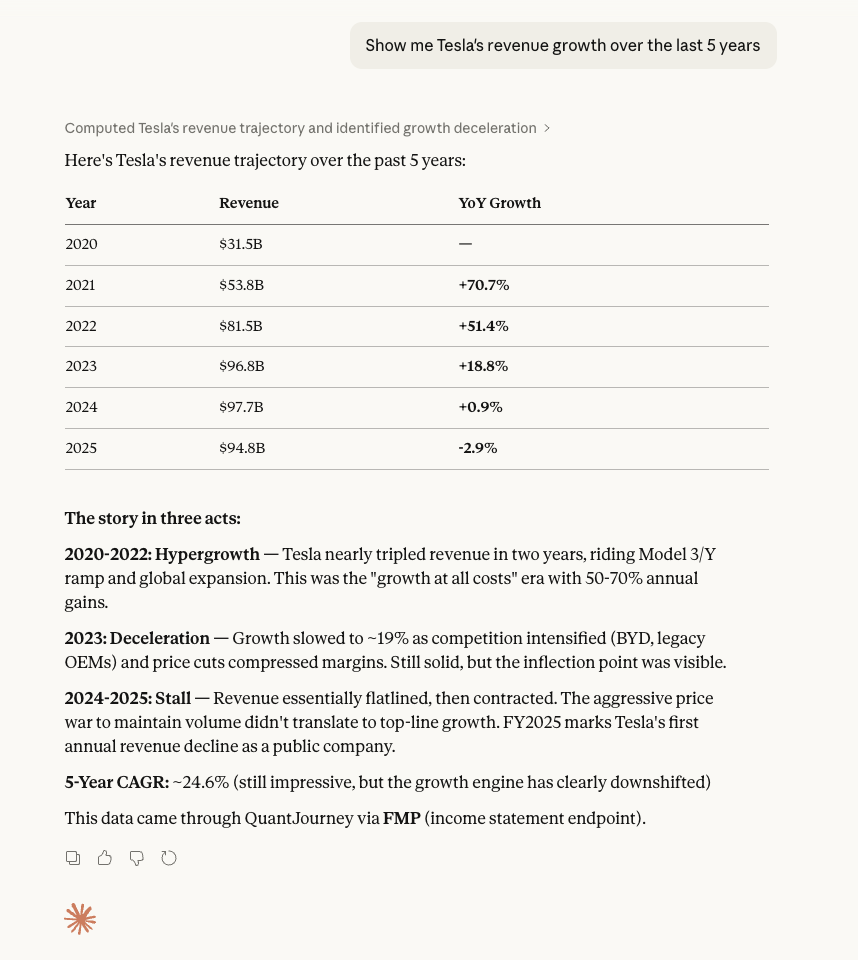
Pull statements, ratios, estimates and pricing context for a single issuer or peer group.
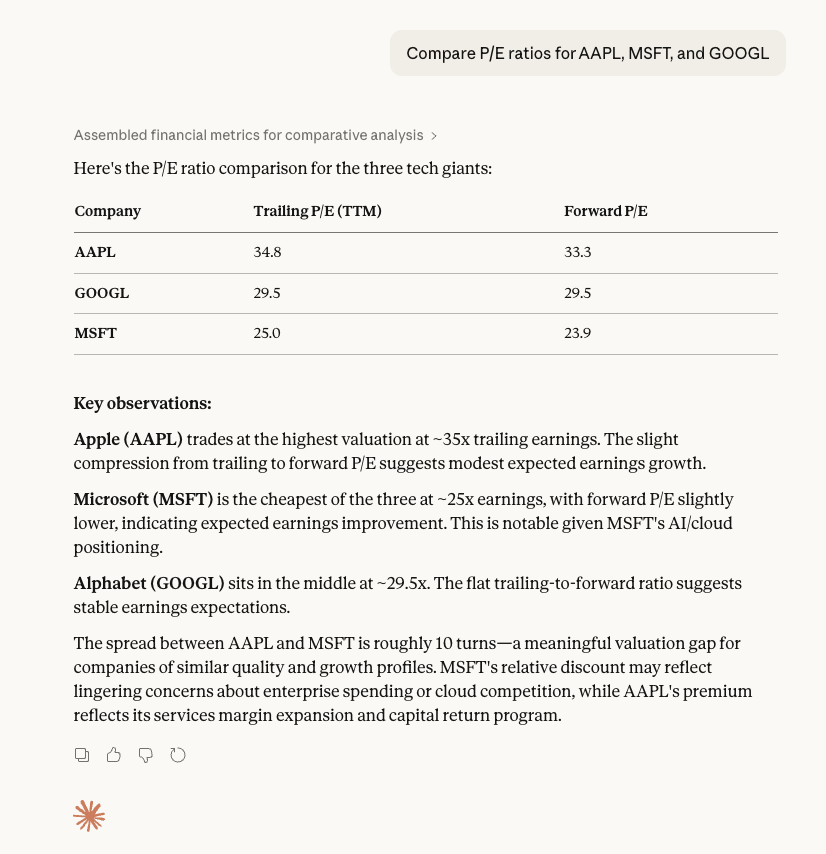
"Compare AAPL, MSFT and GOOGL valuation ratios and show provider metadata."
Connect Claude Desktop, Cursor, VS Code and internal agents to QuantJourney MCP runtimes. Agents can discover approved tools, call scoped API routes and receive structured outputs with provider metadata, request IDs and audit context.
VS Code installs the endpoint directly. Codex and Claude Code open a pre-filled setup request for you to review and submit. Claude opens Custom Connectors; add the API MCP URL shown on this page.
Pull statements, ratios, estimates and pricing context for a single issuer or peer group.
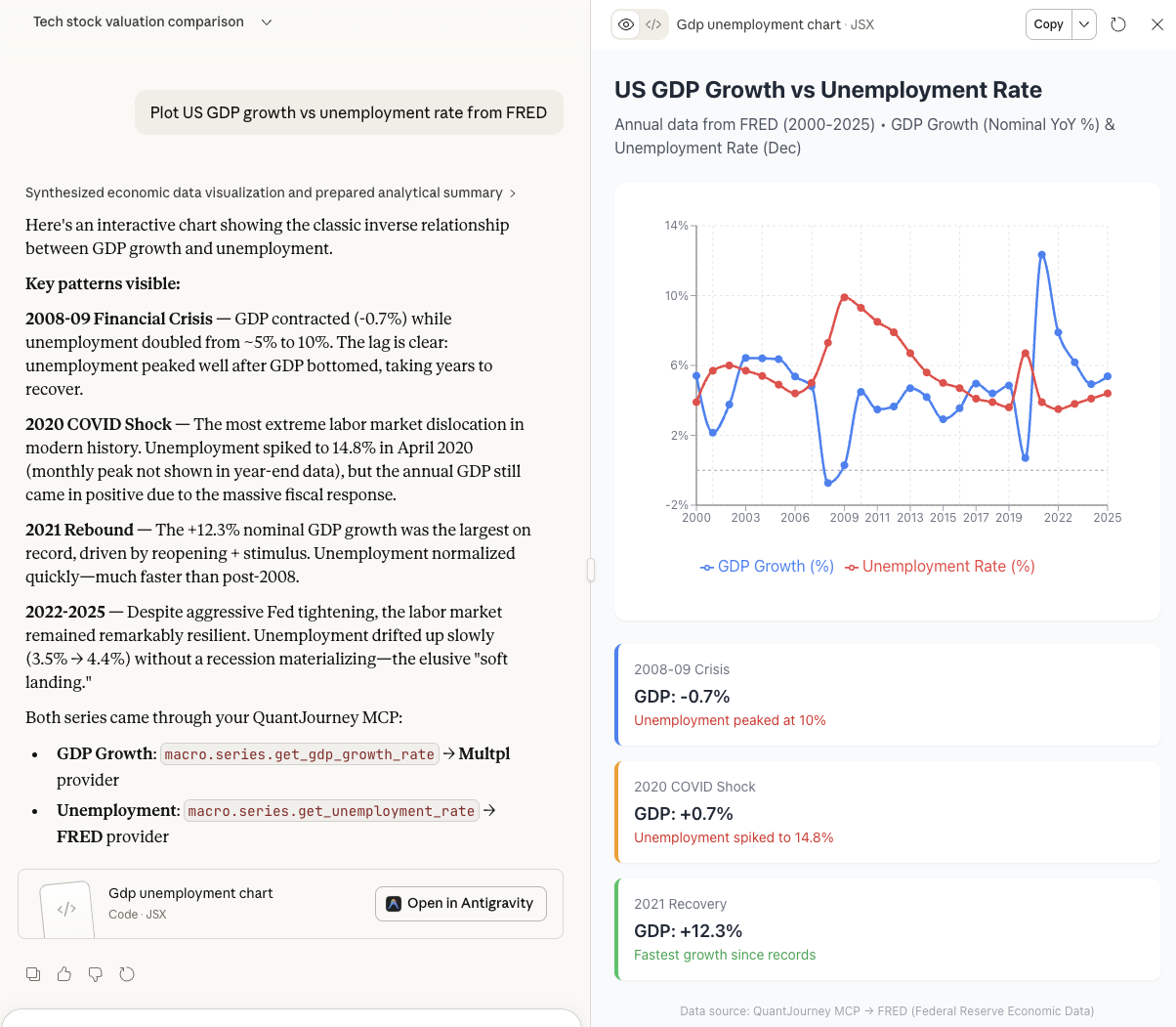
Fetch FRED, ECB, IMF or public macro series for regime and scenario context.
Use SEC, Form 4, 13F and entity-reference routes for diligence workflows.
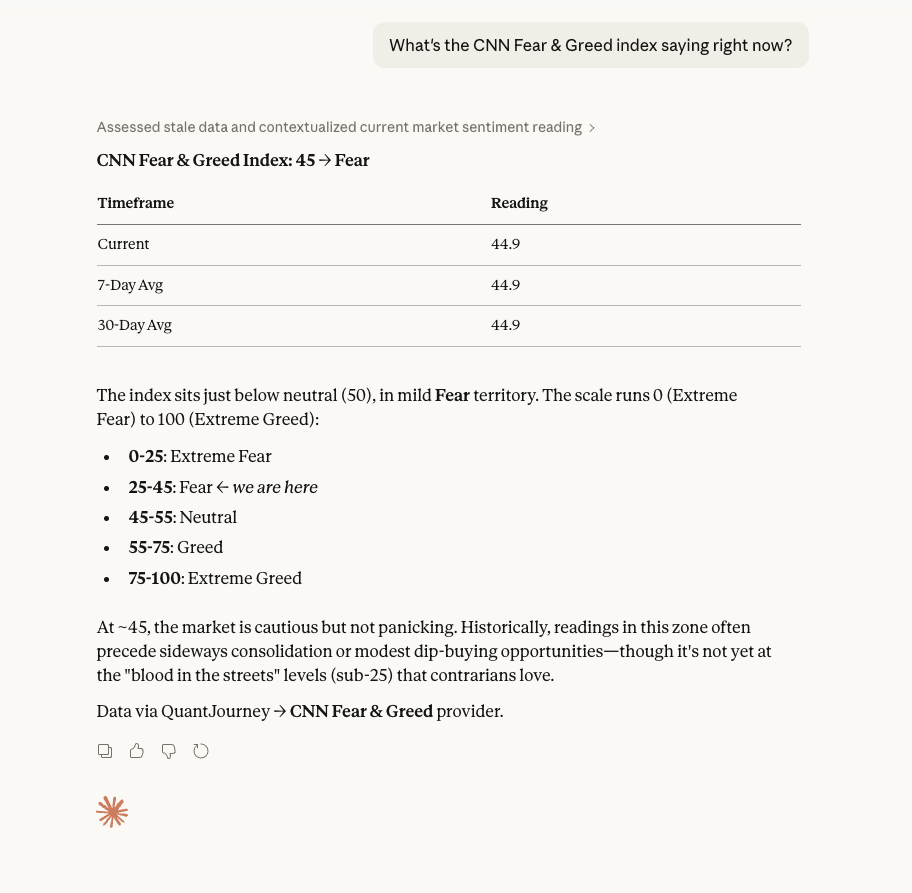
Use exchange and event-market tools with scoped access and normalized outputs.
Skills define repeatable research playbooks for equity deep dives, macro briefs, earnings previews, institutional flow, valuation workbenches and risk reviews.
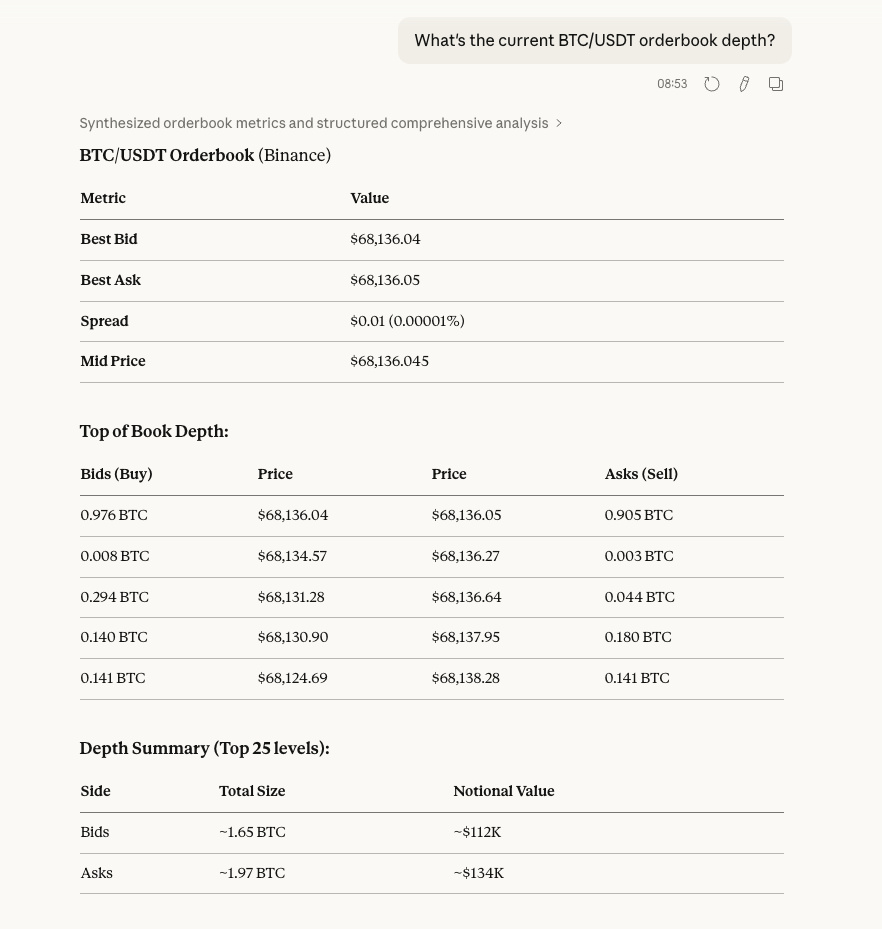
These screenshots show the kind of structured financial outputs an MCP-connected assistant can produce from approved QuantJourney tools.
Use https://api.quantjourney.cloud/mcp as the machine endpoint. This page lives at /mcp/docs;
do not use the docs URL as an MCP server URL.
Use API MCP for public QuantJourney API route tools, provider-backed market data, macro routes and domain endpoints.
Use the button above, or add the remote API MCP server to your user or workspace mcp.json.
{
  "servers": {
    "quantjourney-api": {
      "type": "http",
      "url": "https://api.quantjourney.cloud/mcp"
    }
  }
}Add the API MCP URL to config.toml. Codex performs the OAuth login directly, without an npm bridge.
[mcp_servers.quantjourney_api]
url = "https://api.quantjourney.cloud/mcp"
Then run codex mcp login quantjourney_api.
If your MCP client shows a Configure Manually dialog with a Raw Config (JSON) input, paste the JSON on the right. This config is for the API MCP endpoint only.
{
  "mcpServers": {
    "quantjourney-api": {
      "type": "http",
      "url": "https://api.quantjourney.cloud/mcp"
    }
  }
}
Do not paste /mcp/docs as a server URL; that page is documentation, not the MCP transport.